Group Round Robin Event Guide
Group Round Robin events in Zupcal allow you to distribute meeting requests among multiple team members based on priority levels and availability. This ensures fair distribution of bookings and prevents any single team member from being overwhelmed with appointments.
🚦 What is Round Robin?
Round Robin is a scheduling method that automatically assigns incoming meeting requests to team members in rotation or based on priority. The system considers:
- Team member availability
- Priority levels (1 = highest preference)
- Current booking load
- Location preferences
🛠️ Step-by-Step Setup Guide
🔹 Step 1: Basic Event Configuration
-
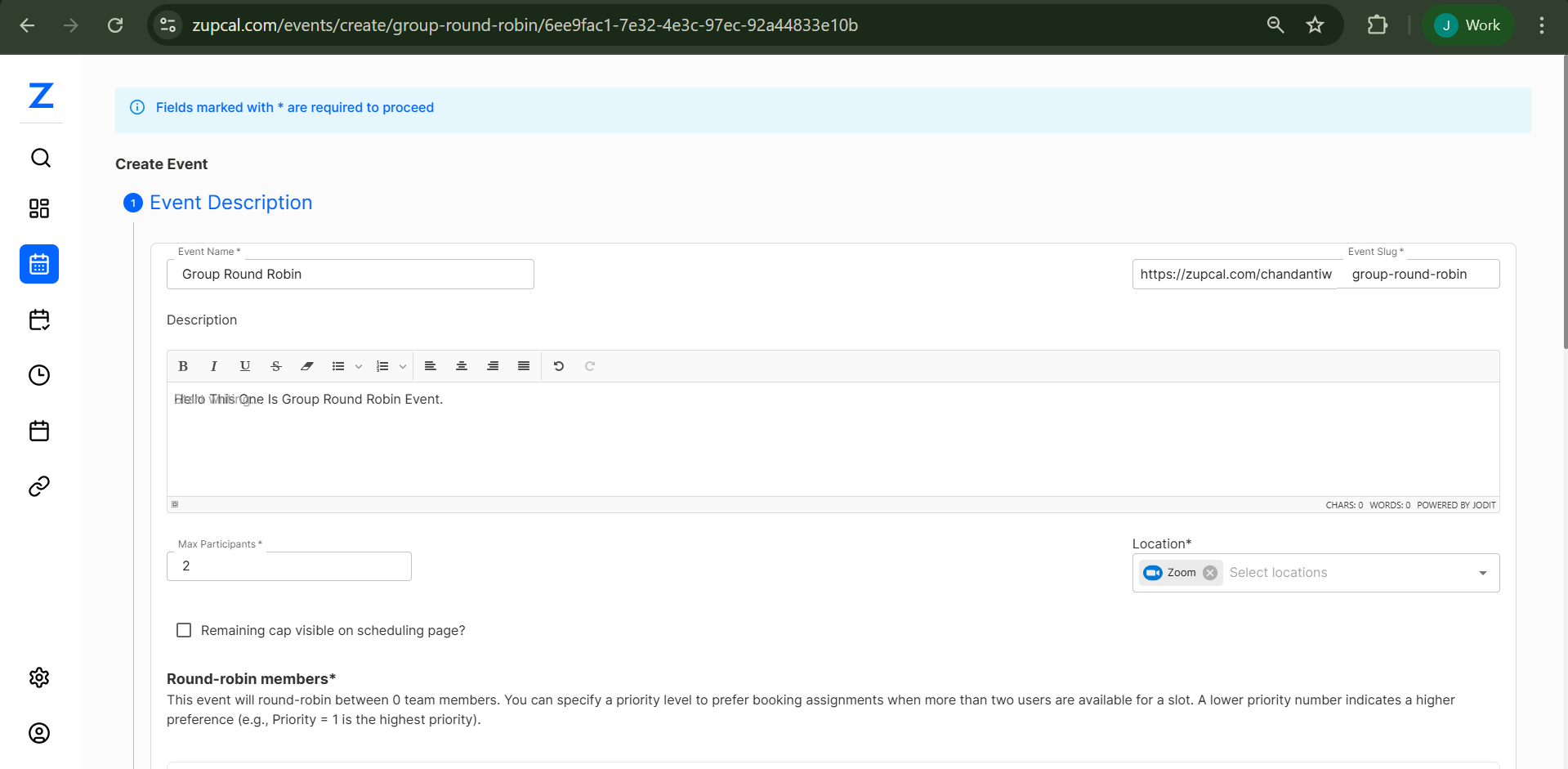
Navigate to Event Creation
Go tozupcal.com/events/create/group-round-robinto open the event creation interface. -
Fill Basic Information
- Event Title: e.g., "Group Round Robin Workshop"
- Description: Add event details
- Max Participants: Set the attendee cap
-
Configure Round-Robin Settings
- Enable "Remaining cap visible on scheduling page"
- Bookings are automatically distributed among selected team members
🔹 Step 2: Team Member Selection & Priority Setup
-
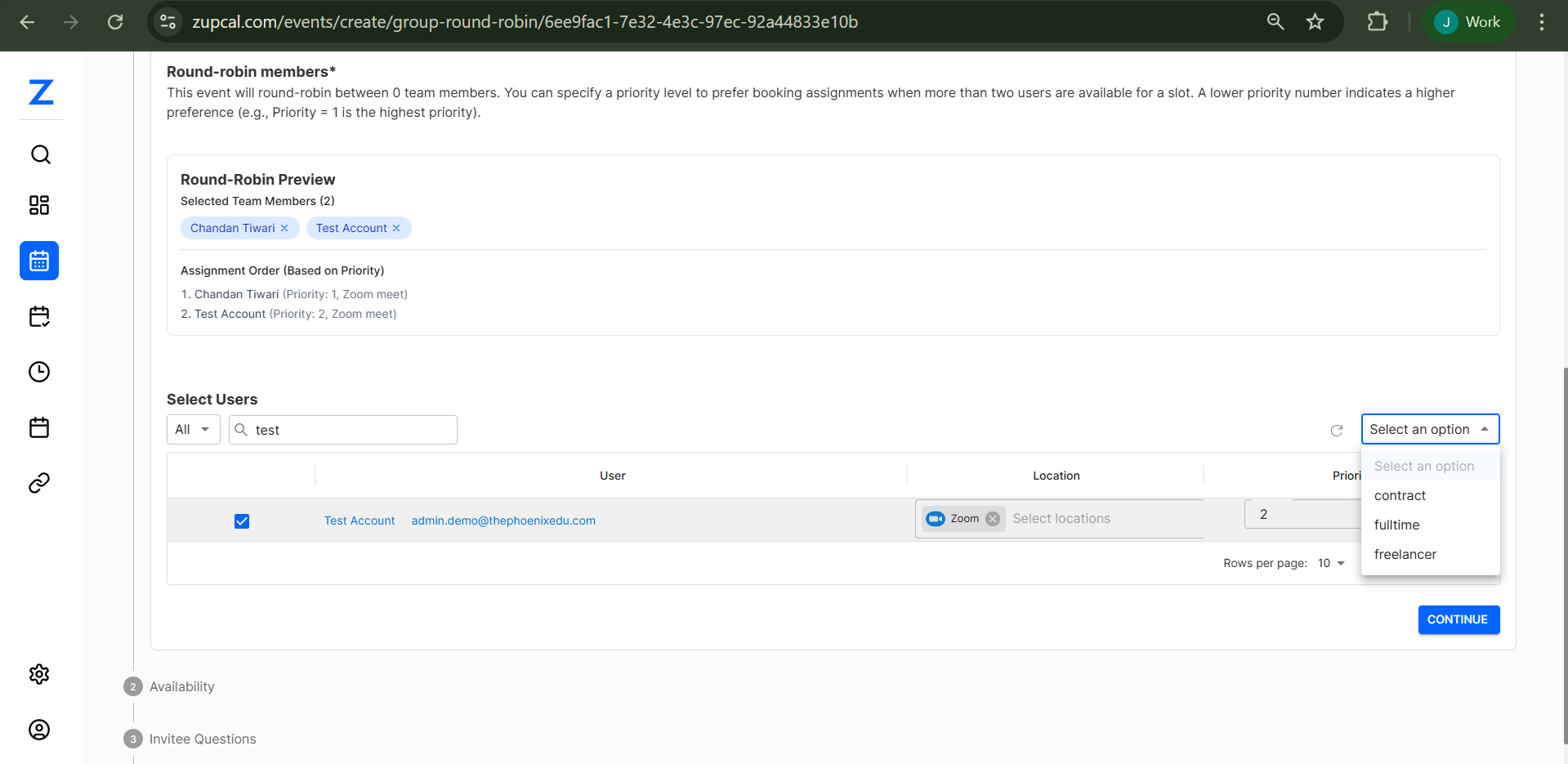
Select Team Members
- Use the "Round-robin members" panel
- System shows selected count
-
Set Priority Levels
- Assign numbers (1 = highest priority)
- E.g., "Test Account (Priority: 1)"
-
Assignment Preview
- View the automatic booking order
🔹 Step 3: User Management & Location Settings
![User Selection Interface]
-
User Selection Panel
- Use search and filter to find members
-
Configure User Details
- Assign names, emails, locations, and priorities
-
Location Options
- Zoom, Google Meet, Inbound Call, or Custom
🔹 Step 4: Advanced Configuration
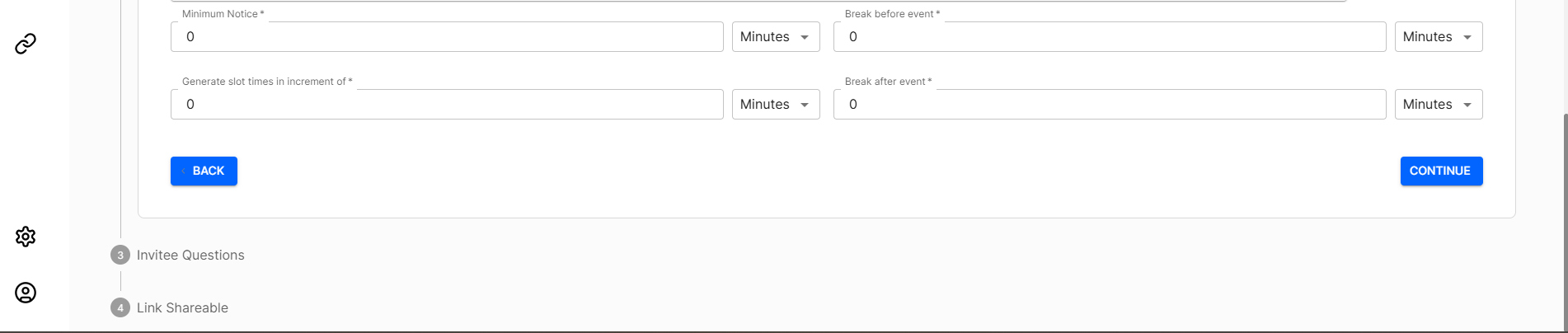 ![Event Settings and Options]
- Invitee Questions
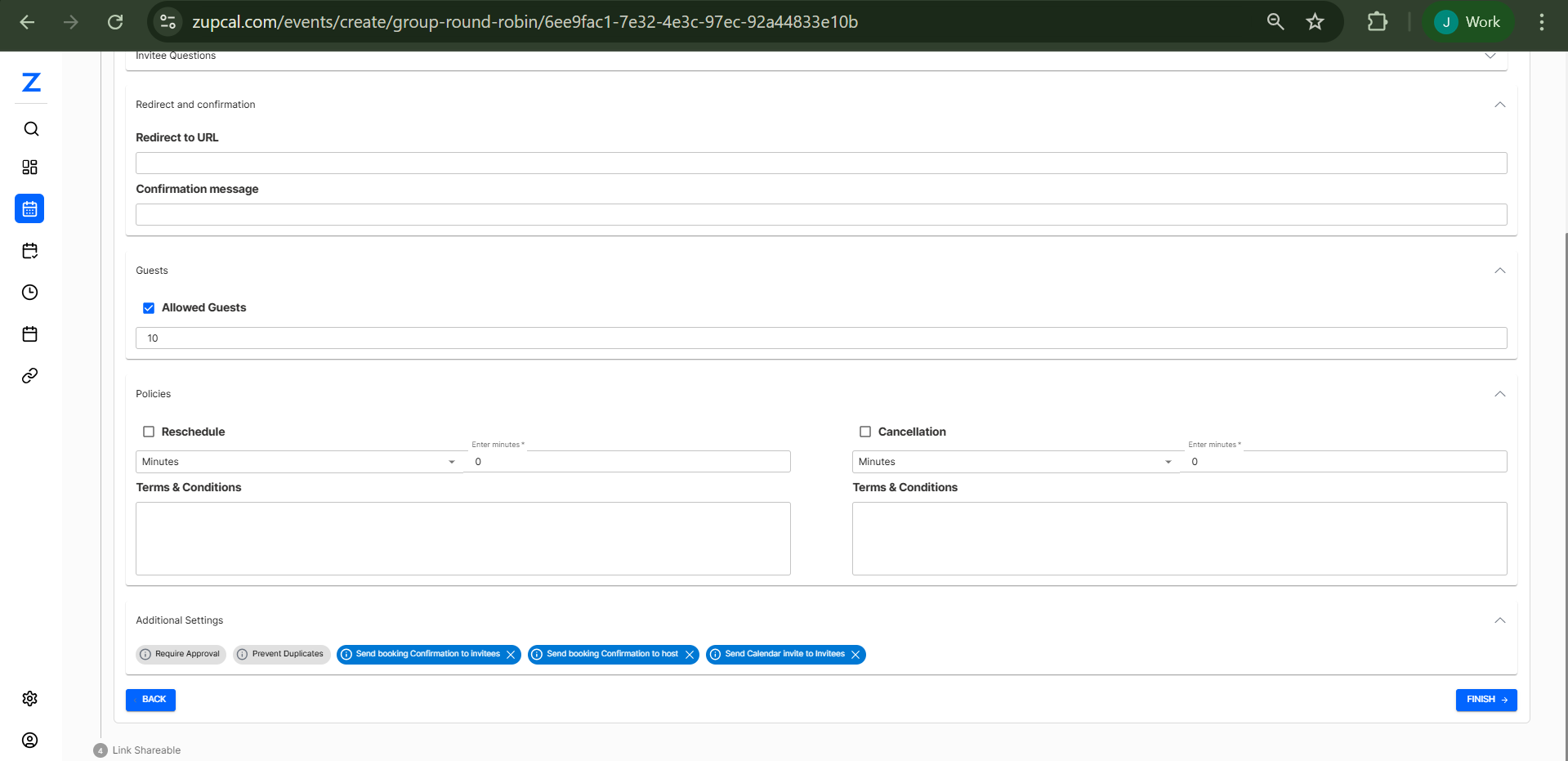
- Redirect and Confirmation Settings
- Guest Management
- Additional Settings:
- Require Approval
- Prevent Duplicates
- Booking Confirmations
- Calendar Invites
🔹 Step 5: Availability & Scheduling
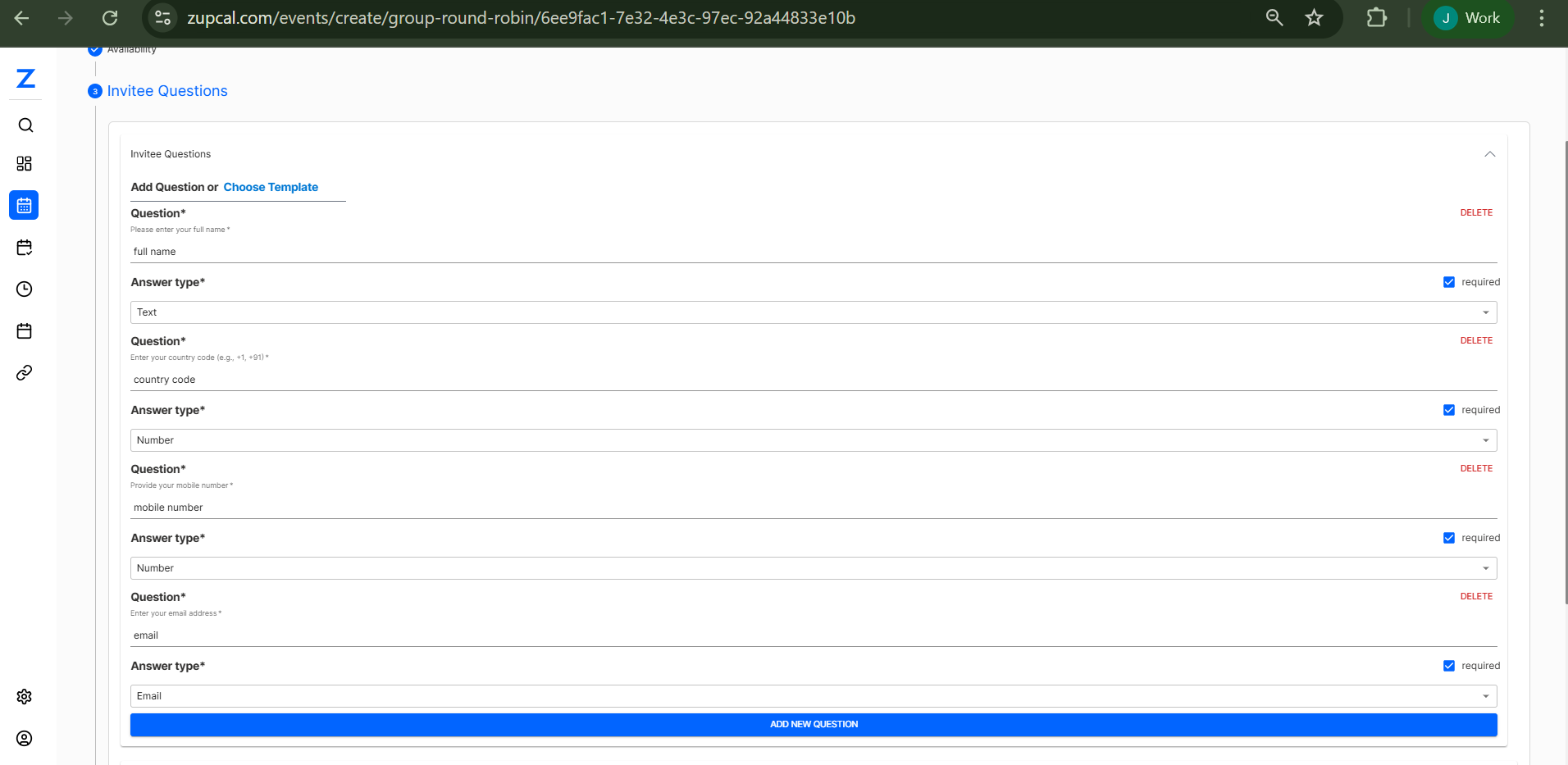
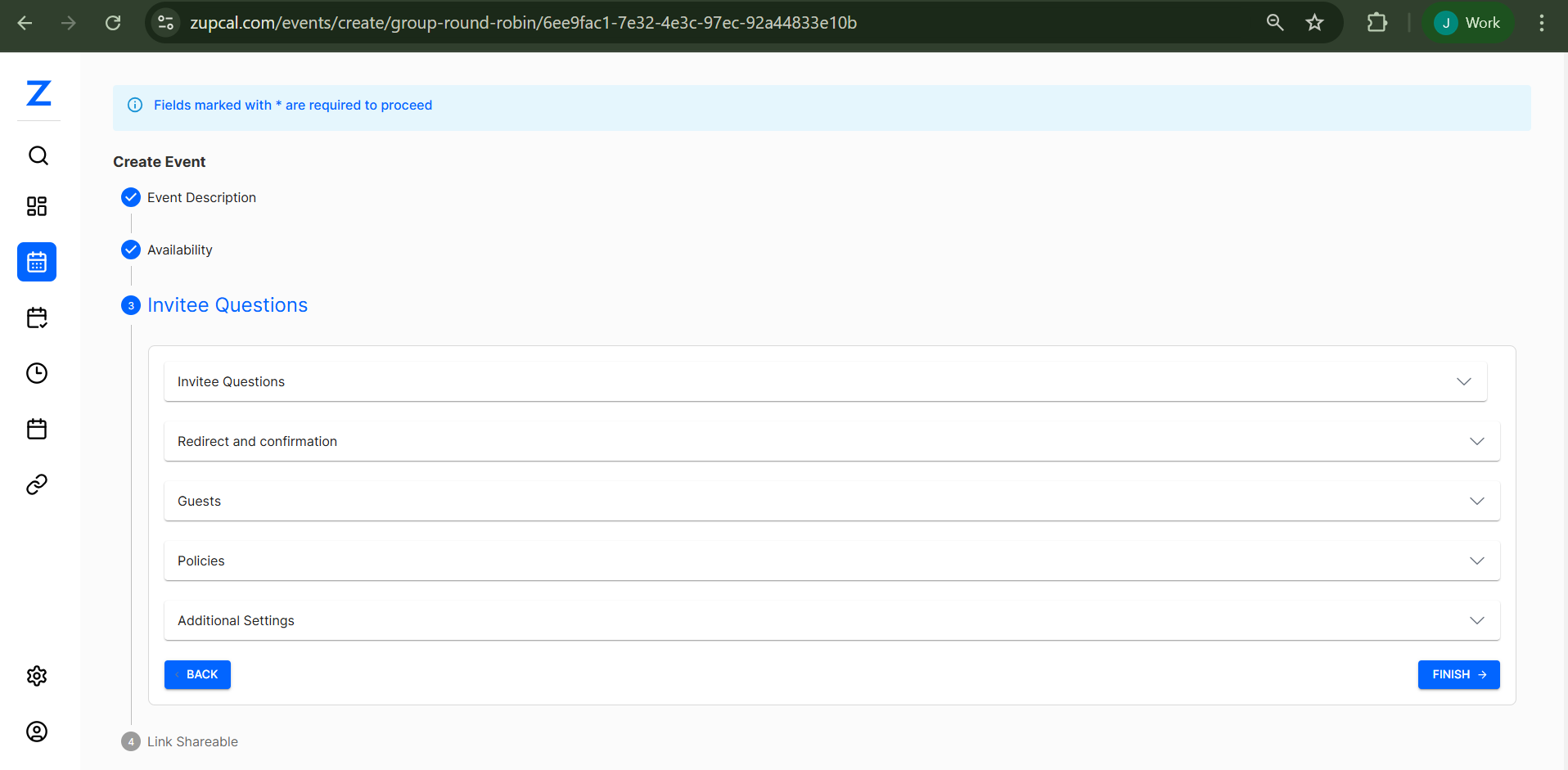
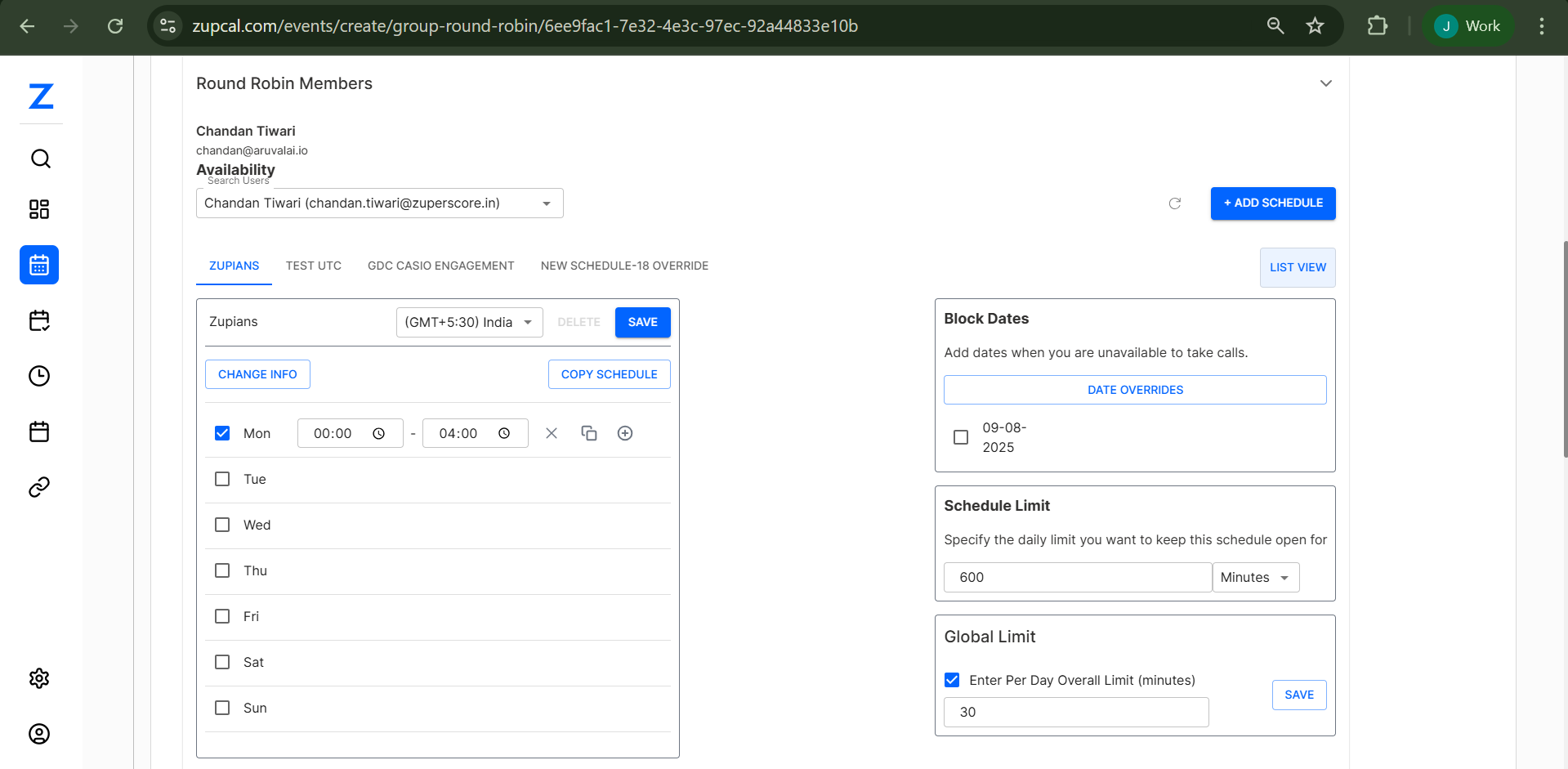
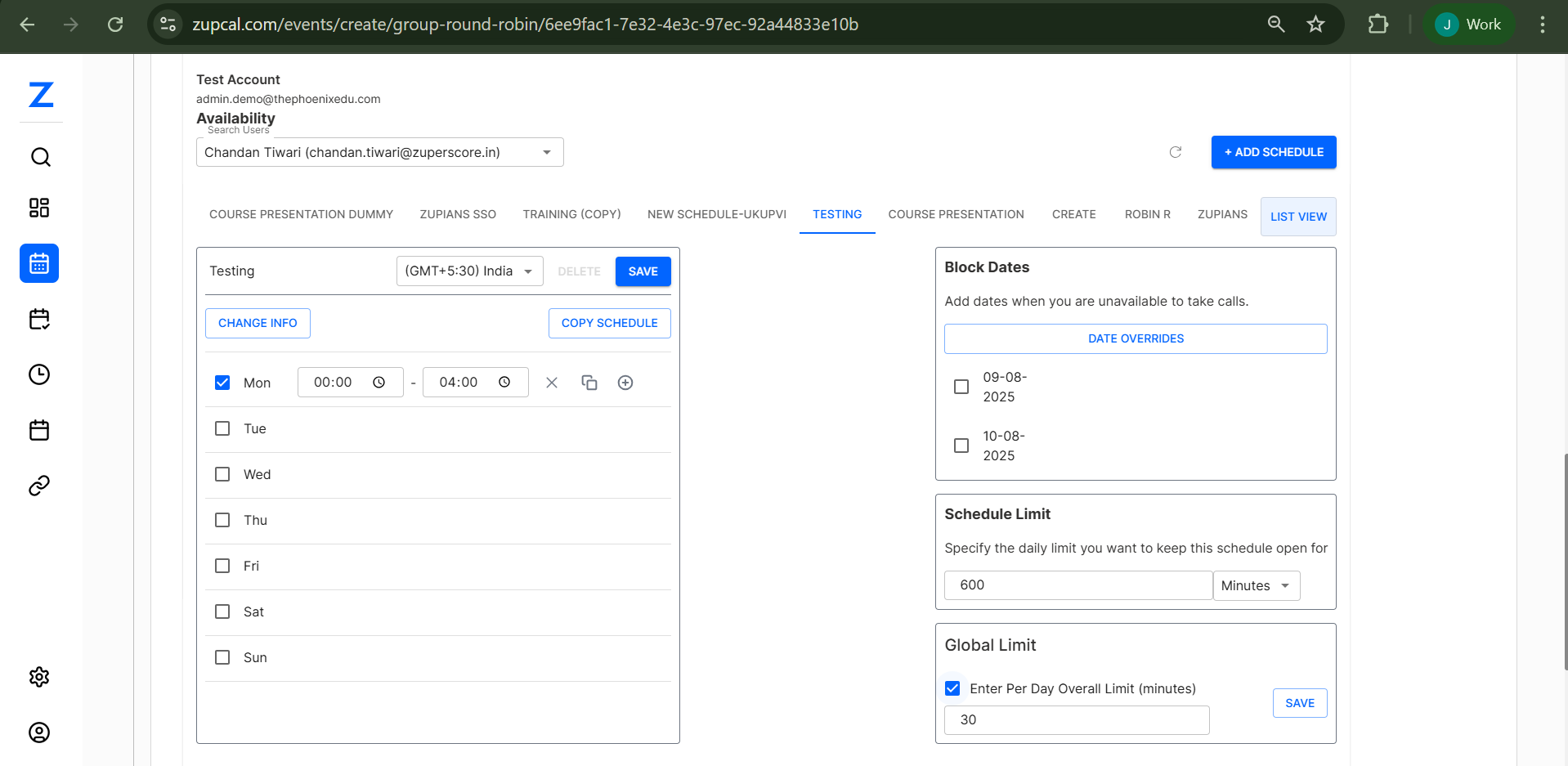
- Duration Settings: Add 30 min or more durations
- Booking Window: e.g., 60 days
- Availability: Add schedules per user
- Time Zones: Supported globally
- Block Dates: Mark unavailable days
🧩 Key Features Explained
✅ Priority-Based Assignment
- Lower numbers = higher preference
- Rotates among same-priority members
- Fallback to next priority level
🌍 Location Flexibility
- Zoom, Meet, Call, Custom
- Attendees select preferred option
🕒 Availability Management
- Calendar sync
- Buffer & time zone support
🧠 Best Practices
1. Priority Assignment Strategy
2. Duration Options
Offer 15, 30, 60-minute sessions
3. Availability Windows
Set 30–60 day limits
4. Location Setup
Test and describe each format clearly
🛠️ Troubleshooting
Members Not Receiving Bookings
- Check priorities and availability
- Look for blocked dates
Booking Distribution Uneven
- Review availability and priorities
- Ensure calendar sync is active
Location/Integration Issues
- Test video links
- Confirm timezone and permission settings
🔄 Round Robin Event 🧠 Frequently Asked Questions (FAQ)
1. How many team members can I add to a round-robin event?
2. Can I change priority levels after publishing?
3. What happens if all team members are unavailable?
4. How does the priority system work?
5. Can multiple members have the same priority?
6. How often does Zupcal sync calendars?
7. Can team members block off specific dates?
8. Which video platforms are supported?
9. Can I manually approve bookings?
10. Can attendees pick team members manually?
11. Can I set different durations per team member?
12. Are calendar invites automatically sent?
13. Can I customize confirmation messages?
✅ Conclusion
Group Round Robin Events offer a smart way to distribute meetings among a team. Use priority-based rules, availability settings, and customizable policies to ensure fair and efficient scheduling.
Keep refining team participation, availability windows, and system configurations to get the most out of the Round Robin model.