Login
Welcome to Zupcal Guide!
Effortlessly manage your team records, payroll, and performance.
🔑 Login to Zupcal
The login screen is your gateway to managing everything in zupcal.
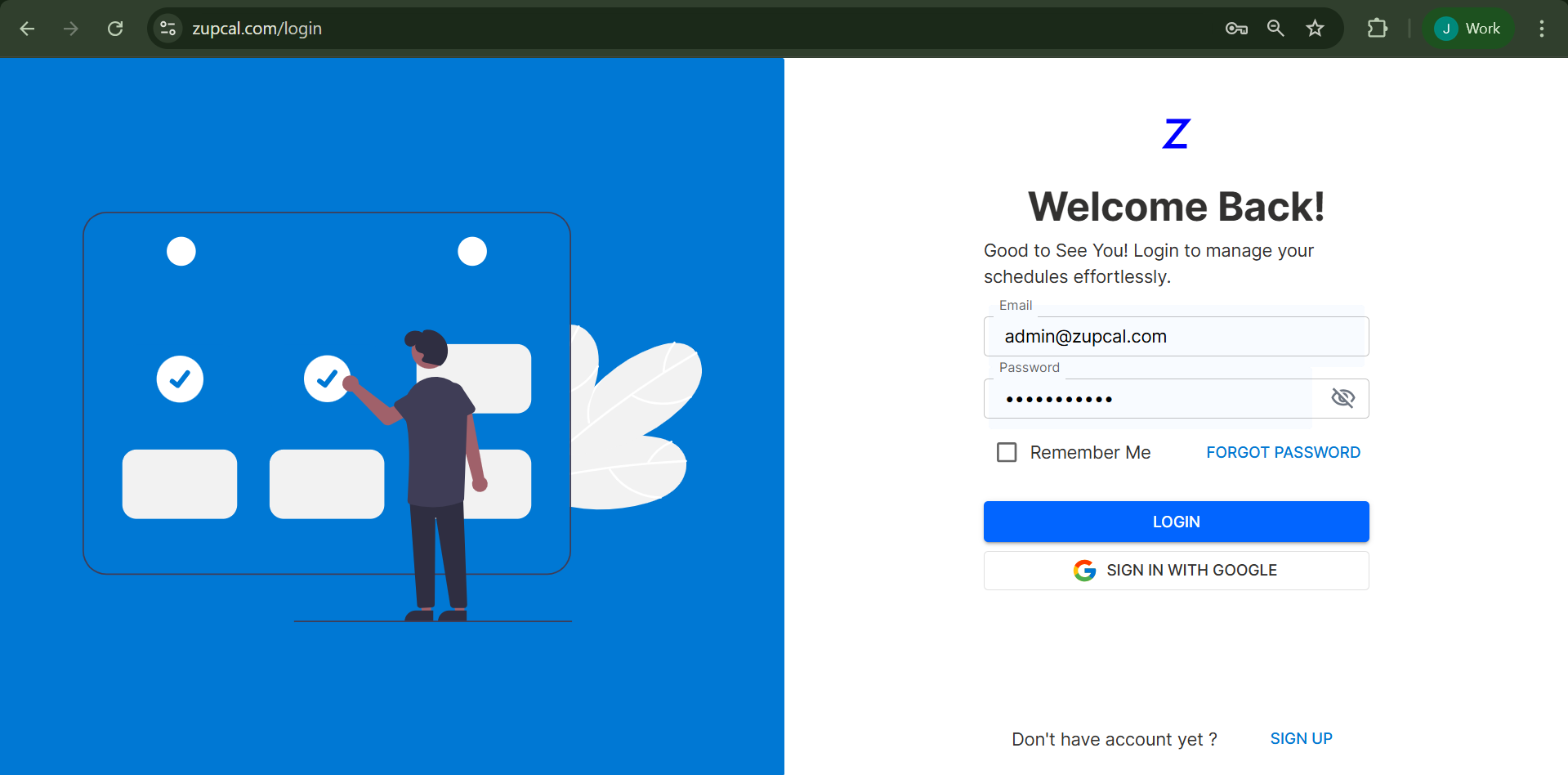
👣 Steps to Log In
-
Open the Login Page:
Visit zupcal.com/login. -
Enter Your Credentials:
- Email: Enter your registered email (e.g.,
xyz@gmail.com). - Password: Enter your secure password.
- Email: Enter your registered email (e.g.,
-
Optional Settings:
- Check Remember Me to stay signed in.
- Click FORGOT PASSWORD if you need to reset your credentials.
-
Choose Login Method:
- Click LOGIN to proceed with email.
- Or click Sign in with Google for a faster login experience.
✉️ Logging in with Email
You can use your any personal or official email address associated with zupcal.
💡 Make sure your email is registered with the system.
🔐 Forgot Your Password?
Follow the steps below to reset your password.
![Forgot Password]
🔄 Reset Password Steps
- Go to zupcal Login Page.
- Click on FORGOT PASSWORD.
- Enter the email linked with your account.
- Click Send Reset Link.
- Open your inbox and follow the password reset instructions.
- Create a new password and log in again.
🔐 Sign in with Google – Step-by-Step
zupcal supports Google Single Sign-On (SSO) for faster access.
🚀 Steps to Sign in with Google
- On the login page, click Sign in with Google.
- A Google popup will appear.
- Choose the Google Account you want to use.
- If this email is linked to an existing zupcal account, you’ll be signed in.
- If not, a new zupcal account may be created using the selected Google email.
💡 Make sure your browser allows pop-ups and third-party cookies for seamless sign-in.
🧠 Frequently Asked Questions (FAQ)
Can I use Sign in with Google without a Google Account?
No, you’ll need an active Google Account to use this login method.
What if I’m logged out of Google when trying to sign in?
You will be prompted to log into Google before being redirected to zupcal.
Can I choose between multiple Google accounts?
Yes, you can select the account you want during the sign-in process.
What if I already have a zupcal account?
If your Google email matches your zupcal account, it will automatically log you in.
What happens if I delete my Google Account?
You’ll lose access to Sign in with Google. Contact zupcal support for help.
What happens if I delete my zupcal account?
Your data is permanently deleted. You’ll need to create a new account to use zupcal again.
How do I manage apps connected to my Google Account?
Visit myaccount.google.com to view or remove linked apps.
Can I unlink my Google Account from zupcal?
Yes, you can disconnect zupcal from your Google Account settings at any time.
🚀 Getting Started with zupcal
Once logged in, explore features for:
- 📁 Schedules
- 📊 Events
- 💰 Bookings
🛠 Additional Notes
- Use a modern browser like Chrome, Edge, or Firefox.
- If login fails, double-check your credentials and browser settings.
💡 Tip: Enable browser notifications and bookmark zupcal.com/login for quick access.